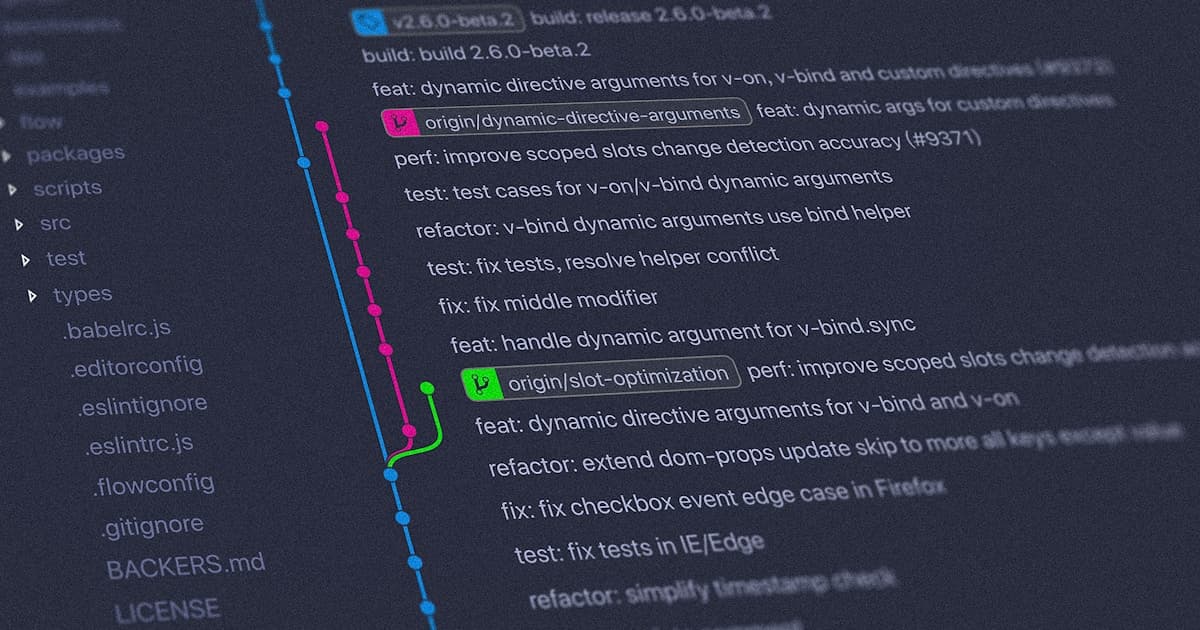
Git as a Time Machine
Git doesn't just track your code — it records the history of your thinking. A well-maintained Git history communicates why decisions were made, makes code reviews easier, and allows teams to confidently bisect thousands of commits to find regressions. This guide is about mastering Git's power tools.
Interactive Rebase — Rewrite History Like a Pro
Interactive rebase lets you reshape your commit history before sharing it.
# Interactively rebase the last 5 commits
git rebase -i HEAD~5
This opens your editor with:
pick 3a7f9e1 Add user authentication
pick 8b2c4d5 Fix typo in auth service
pick 1e9f2a3 WIP: working on password reset
pick 5c8d7b6 WIP still not working
pick 7a4e3f9 Password reset finally works

# Commands:
# p, pick   = use commit
# r, reword = use commit, but edit the message
# e, edit   = use commit, but stop for amending
# s, squash = melt into previous commit
# f, fixup  = squash but discard this commit's message
# d, drop   = remove commit
Edit to clean up:
pick 3a7f9e1 Add user authentication
f    8b2c4d5 Fix typo in auth service     ← squash into above
r    1e9f2a3 Add password reset feature    ← reword message
f    5c8d7b6 WIP still not working         ← squash into above
f    7a4e3f9 Password reset finally works  ← squash into above
Result: 2 clean commits instead of 5 messy WIPs. Your PR reviewer thanks you.
Rules for Rebasing
- Never rebase commits that have been pushed to a shared branch. Rebase is for local cleanup before opening a PR.
- After a force push, teammates must
git fetch && git reset --hard origin/branch
Cherry-Pick — Apply Specific Commits Across Branches
# Situation: Critical bugfix is on feature branch, needs to go to main immediately
git log --oneline feature/user-auth
# a1b2c3d Fix null pointer in AuthService  ← this specific commit
# e4f5g6h Implement OAuth2 flow
# h7i8j9k Add JWT refresh logic

# Apply just the bugfix to main
git checkout main
git cherry-pick a1b2c3d

# Cherry-pick a range of commits
git cherry-pick a1b2c3d..e4f5g6h

# Cherry-pick without committing (stage only)
git cherry-pick --no-commit a1b2c3d
Git Bisect — Find the Broken Commit in O(log n) Time
A regression appeared somewhere in the last 500 commits. git bisect uses binary search to find it in ~9 steps.
# Start bisecting
git bisect start

# Current state is broken
git bisect bad

# This commit 3 weeks ago definitely worked
git bisect good v2.1.0

# Git checks out commit halfway between bad and good
# Test your application...
# If broken:
git bisect bad
# If working:
git bisect good

# Repeat ~9 times. Git tells you:
# "3a7f9e1 is the first bad commit"

# Automate with a script!
git bisect start HEAD v2.1.0
git bisect run npm test -- --testPathPattern="auth"
# Git runs your tests automatically on each commit — fully automated bisect
Git Hooks — Automated Quality Gates
# .git/hooks/pre-commit (runs before every commit)
#!/bin/bash
echo "Running pre-commit checks..."

# Run TypeScript type check
npx tsc --noEmit
if [ $? -ne 0 ]; then
  echo "❌ TypeScript errors found. Fix them before committing."
  exit 1
fi

# Run linter
npx eslint --max-warnings=0 src/
if [ $? -ne 0 ]; then
  echo "❌ ESLint errors found. Fix them before committing."
  exit 1
fi

echo "✅ Pre-commit checks passed."
Use Husky for team-wide hooks (committed to the repo, not .git/):
npm install --save-dev husky lint-staged
npx husky init

# .husky/pre-commit
npx lint-staged

# package.json
{
  "lint-staged": {
    "*.{ts,tsx}": ["eslint --fix", "prettier --write"],
    "*.{json,md}": ["prettier --write"]
  }
}
Branching Strategies
GitHub Flow (Recommended for Most Teams)
main (always deployable)
  ├── feature/add-search
  ├── fix/login-redirect
  └── chore/upgrade-dependencies
Rules:
- Branch from
main - Open PR when ready for review
- Merge to
mainafter approval + CI passes - Deploy from
mainimmediately
GitFlow (For Apps with Versioned Releases)
main (production)
  └── develop (integration)
        ├── feature/oauth
        ├── release/v2.3.0  ← Stabilization branch
        └── hotfix/v2.2.1   ← Emergency production fixes
Conventional Commits — Machine-Readable History
# Format: <type>(<scope>): <description>
git commit -m "feat(auth): add Google OAuth2 login"
git commit -m "fix(api): handle null user in authentication middleware"
git commit -m "perf(db): add index on posts.published_at"
git commit -m "docs(readme): update local development setup"
git commit -m "refactor(users): extract UserService from AuthModule"
git commit -m "BREAKING CHANGE: rename /api/v1 to /api/v2"
Benefits:
- Auto-generate CHANGELOG.md with
conventional-changelog - Auto-bump semantic version (major/minor/patch) based on commit types
- Make PRs self-documenting
Useful Git Commands Every Developer Should Know
# See what changed in the last commit
git show --stat

# Find which commit introduced a specific line
git log -S "functionName" --all

# Undo last commit but keep changes staged
git reset --soft HEAD~1

# Stash with a descriptive name
git stash push -m "wip: halfway through auth refactor"
git stash list
git stash pop stash@{0}

# Clean untracked files (dry-run first!)
git clean -n    # Show what would be deleted
git clean -fd   # Actually delete

# See all branches and their last commit
git branch -vv

# Revert a specific commit (safe for shared branches)
git revert 3a7f9e1 --no-edit
Conclusion
Git mastery is a force multiplier. Interactive rebase turns a messy development history into a clean narrative. git bisect can find a regression in millions of lines of code in minutes. Conventional commits give you free changelogs and version management. The 30 minutes you invest learning these tools pays back in hours saved every month.

Written by Bipin Baral
Full-stack software engineer writing empirical, people-first technical breakdowns on operating systems, distributed systems, and backend architecture.
Frequently Asked Questions
Deep-dive answers and explanations about Git Advanced Workflows: Rebase, Cherry-Pick, Bisect, Hooks & Team Branching Strategies